
How to Build a Custom AI Chatbot for Your Business: RAG Architecture & WhatsApp Automation
A step-by-step engineering guide on building vector-backed RAG AI chatbots, integrating WhatsApp Business APIs, and automating 24/7 customer support.

Aziz Ullah
CEO & Lead AI Architect
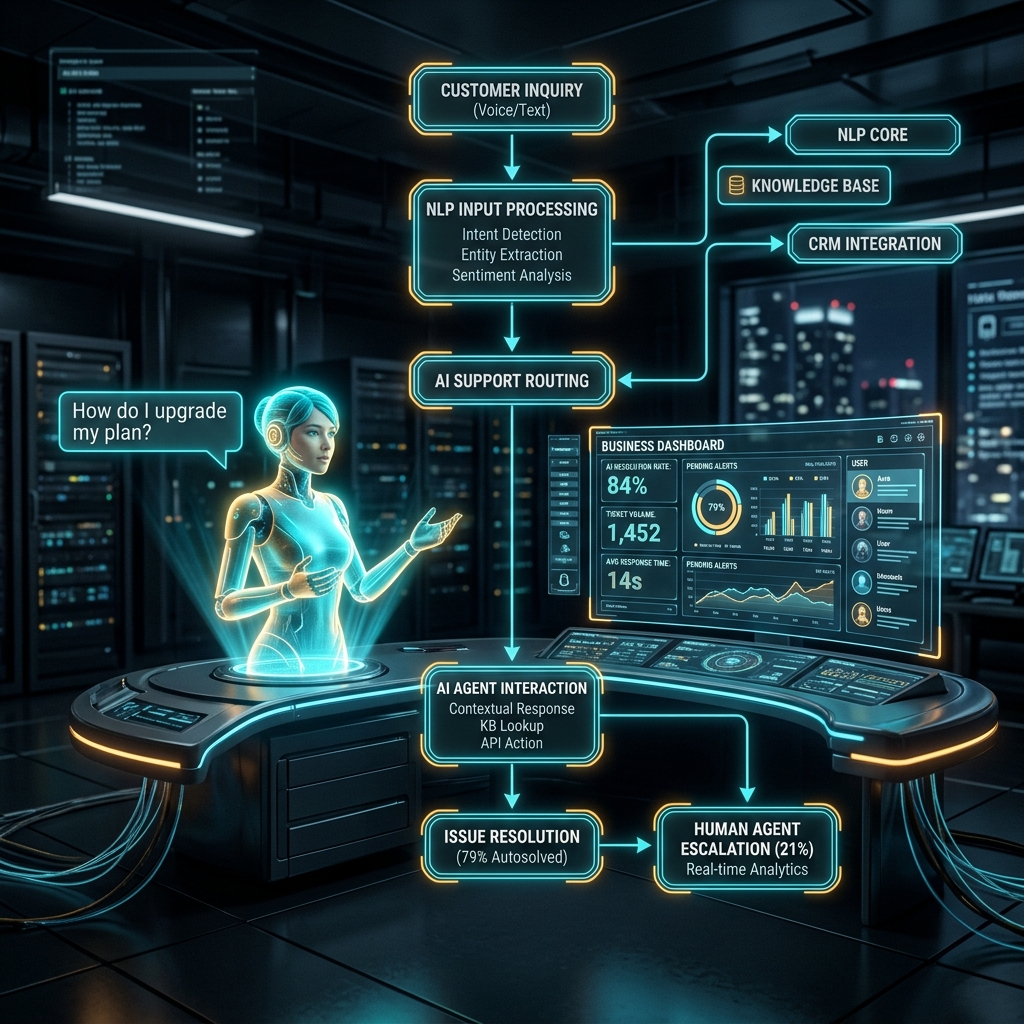
How to Build a Custom AI Chatbot for Your Business: RAG Architecture & WhatsApp Automation
In 2026, standard rule-based chatbots that output rigid "Sorry, I didn't understand your request" messages actively frustrate customers and hurt brand reputation. Modern businesses need Intelligent AI Chatbots capable of comprehending dynamic user intent, retrieving exact context from proprietary company documents, and executing automated workflows across multiple messaging channels like WhatsApp and web portals.
This guide provides a comprehensive technical and operational blueprint for building a production-ready custom AI chatbot for your business using Retrieval-Augmented Generation (RAG) and vector search technologies.
1. Why Traditional Chatbots Fail vs. RAG AI Chatbots
| Capability | Legacy Decision-Tree Chatbot | RAG-Powered AI Chatbot | | :--- | :--- | :--- | | Logic Source | Fixed IF/ELSE paths & exact keywords | Natural Language Understanding (NLU) + Vector Search | | Knowledge Base | Static pre-written answer banks | Real-time indexing of PDFs, SQL databases & web pages | | Response Quality | Robotic, repetitive text fragments | Contextually accurate, human-like answers with citations | | Multi-Channel | Web-only or isolated platform | Unified sync across Web, WhatsApp, iOS/Android & Slack |
2. Core Architecture of a RAG AI Chatbot
+-------------------------------------------------------------------------+
|                  ENTERPRISE RAG CHATBOT ARCHITECTURE                   |
+-------------------------------------------------------------------------+
| [ USER INTERFACE ] --> Custom React Widget / WhatsApp / Mobile App      |
+-------------------------------------------------------------------------+
                                    |
                                    v
+-------------------------------------------------------------------------+
| [ INGESTION & VECTOR ENGINE ] --> Pinecone / Qdrant / Weaviate DB      |
| Indexing Company PDFs, FAQs, Notion Docs & Product Catalogs             |
+-------------------------------------------------------------------------+
                                    |
                                    v
+-------------------------------------------------------------------------+
| [ REASONING & LLM ENGINE ] --> LangChain / Llama 3.3 / Claude 3.5       |
| Synthesizes Grounded Answers with Zero Hallucination Guardrails         |
+-------------------------------------------------------------------------+
                                    |
                                    v
+-------------------------------------------------------------------------+
| [ SYSTEM INTEGRATION ] --> Salesforce / HubSpot / PostgreSQL APIs      |
+-------------------------------------------------------------------------+
Step 1: Ingestion & Vector Indexing
Company knowledge (service guidelines, product specs, pricing tables, return policies) is extracted, split into semantic chunks, and converted into dense vector embeddings using models like OpenAI text-embedding-3 or Cohere Embed. These embeddings are stored in high-performance vector databases such as Pinecone, Qdrant, or Weaviate.
Step 2: Semantic Retrieval
When a user asks a question like "How do I change my subscription plan?", the chatbot computes the question's vector embedding and performs cosine similarity search to pull the top-k relevant document excerpts.
Step 3: Context-Grounded Answer Synthesis
The LLM generates a clear response grounded exclusively in the retrieved context. Guardrails prevent model hallucinations, ensuring answers remain 100% accurate.
3. Integrating Meta's WhatsApp Business API
WhatsApp is the world's most popular messaging application. Integrating your AI Chatbot with the WhatsApp Business Cloud API allows your company to assist customers on their preferred messaging channel.
Technical Integration Workflow:
- Webhook Registration: Set up a Node.js/TypeScript webhook endpoint to handle incoming WhatsApp message payloads.
- Session Context Tracking: Store active user sessions in Redis to track multi-turn conversations seamlessly.
- Structured Button & Card Responses: Send interactive WhatsApp list messages and quick-reply buttons for fast user interaction.
// Sample WhatsApp Webhook Handler (Express/TypeScript)
import express from "express";
import { generateRAGResponse } from "./aiEngine";
import { sendWhatsAppMessage } from "./whatsappClient";

const router = express.Router();

router.post("/whatsapp-webhook", async (req, res) => {
  const { body } = req;
  if (body.object && body.entry?.[0]?.changes?.[0]?.value?.messages?.[0]) {
    const message = body.entry[0].changes[0].value.messages[0];
    const from = message.from; // User's WhatsApp number
    const userQuery = message.text?.body;

    if (userQuery) {
      // 1. Fetch AI response via vector RAG
      const aiReply = await generateRAGResponse(userQuery, from);

      // 2. Send response back to user on WhatsApp
      await sendWhatsAppMessage(from, aiReply);
    }
  }
  res.sendStatus(200);
});
4. Key Business Benefits & Measured ROI
- 88% Ticket Deflection Rate: Resolves routine customer queries automatically without human agent intervention.
- 24/7/365 Availability: Provides instant answers around the clock, capturing leads after business hours.
- Sub-Second Latency: Delivers instant replies to boost customer satisfaction (CSAT) scores.
- 65% Reduction in Support Overhead: Frees support personnel to handle complex tier-3 inquiries.
5. How Maruf Tech Implements Custom AI Chatbots
At Maruf Tech, we build bespoke, enterprise-grade AI Chatbots tailored to your business needs:
- Custom knowledge base data pipeline setup.
- Web widget development with custom brand themes.
- Seamless WhatsApp, Telegram, and CRM integrations.
- Strict security guardrails and human escalation triggers.
Ready to deploy a custom AI Chatbot for your business? Contact the AI Engineering Team at Maruf Tech to schedule a consultation.
Topic Tags
References & External Citation Papers
Aziz Ullah
CEO & Lead AI Architect at Maruf Tech. Passionate about designing enterprise AI solutions, modern web apps, and machine learning infrastructure.